

The three spins aren't a gimmick, they're the game...
Discover a fun combo and watch your picture come to life.
SpinCreatePlay makes creativity simple, joyful, and endlessly fresh. Choose a theme, spin the wheels, and instantly generate a new scene to explore, colour, or animate. A calm, inspiring space for imaginative play.

I built SpinCreatePlay as a parent who wanted kids and adults to have a creative toy with a focus on creativity and learning, not another endless scroll.
Spin fun combos, watch them become pictures you can colour and share, but with account holders always in charge of spending and content. Children and adults alike, can create pictures whilst learning and having fun at the same time.
No ads, no data sold, no big studio roadmap. SpinCreatePlay is an indie project built with families in mind.
Questions before launch? support@spincreateplay.com
Built for young kids and families. Pick an age band or a topic in Settings (from toddler up to teen, fun and educational topics). Each tile below shows the real app; tap to preview screenshots full screen and swipe through the flow.
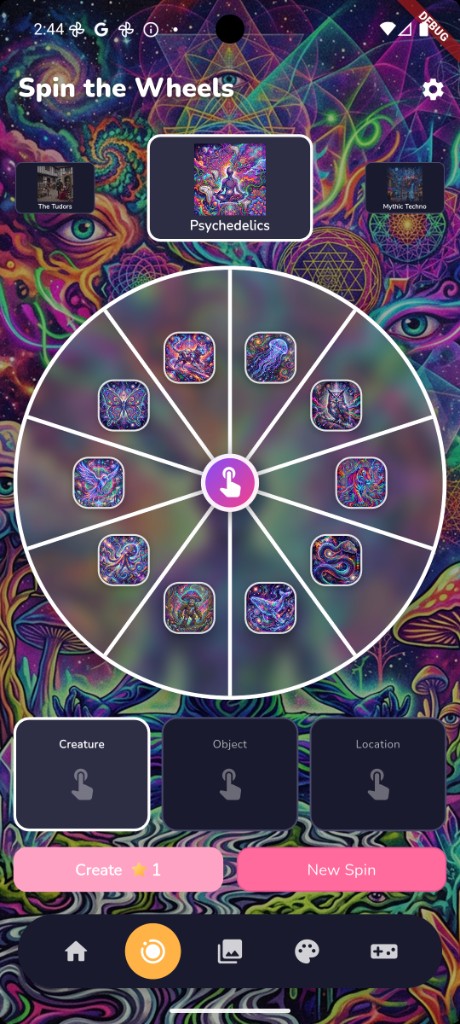
Three colourful wheels, each spin adds another piece until your prompt is ready to create. Learn as you spin, the wheels help children read, learn about the content and have fun while they do it.
Preview screenshots
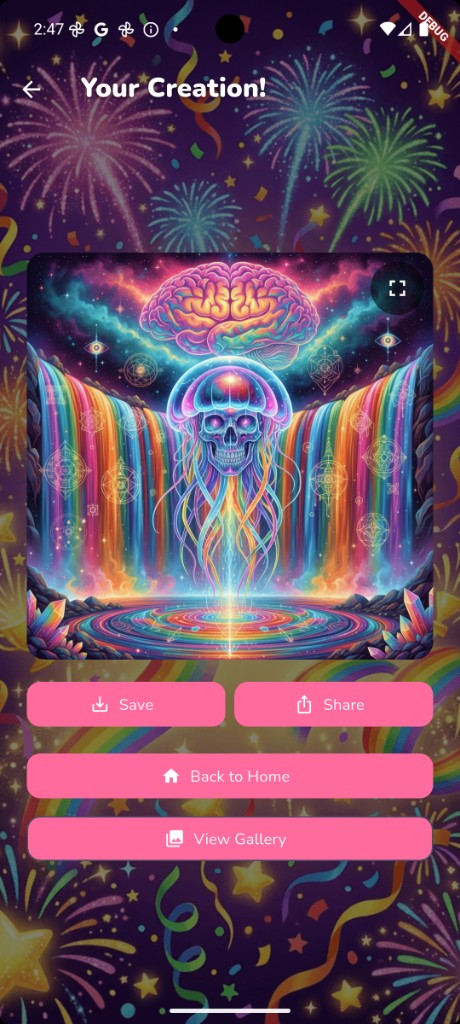
A friendly AI illustrator turns the spin into a one-of-a-kind picture in a few seconds. Generation runs in the cloud with safety filters; only the prompt and result are sent, we never use your art to train models.
Preview screenshots
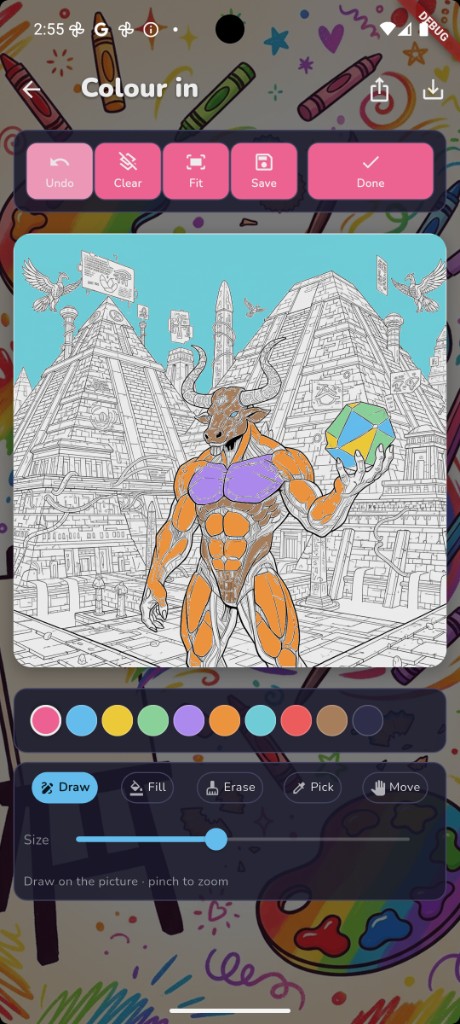
Every picture you create can be turned into a clean line-art colouring page and painted right in the app. Paint, fill, and save your creations. Share your favourites with your friends and family.
Preview screenshots
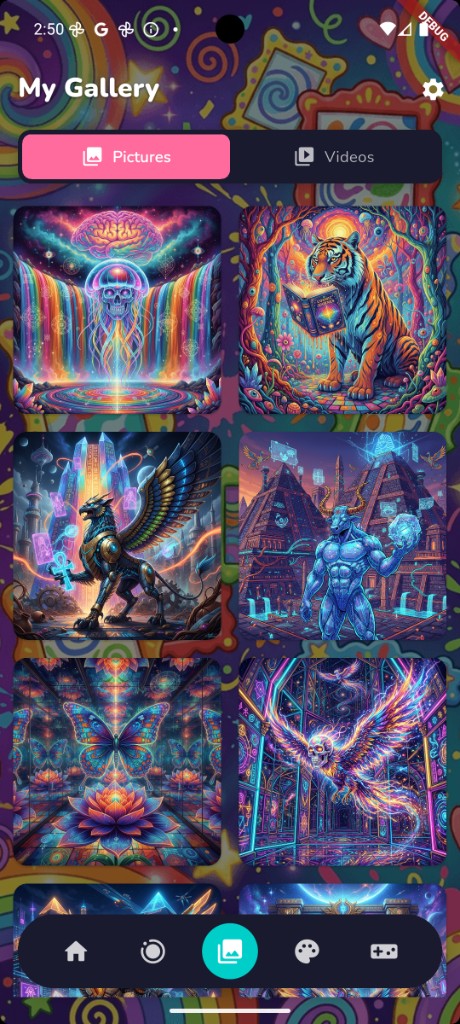
Browse pictures you've made today. Video playback is coming soon where you'll be able to turn a picture into a short clip and tap Play to watch it move. Save your creations on your device and share them with friends and family.
Preview screenshots
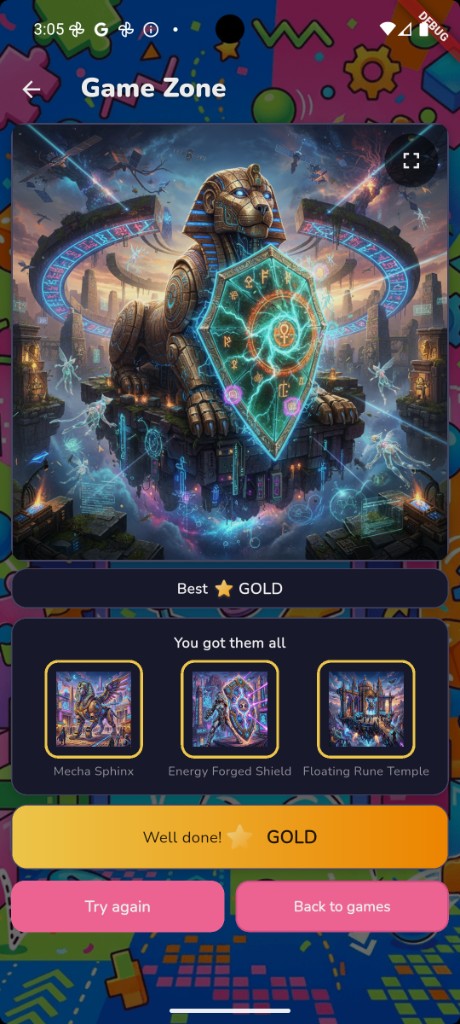
The Guess The Icon game is a great way for kids to learn to read. Match the icons on each wheel with what you see and earn a bronze, silver or gold star. Simple, but effective way to learn to read.Try again for free and keep playing to earn more stars.
Preview screenshots
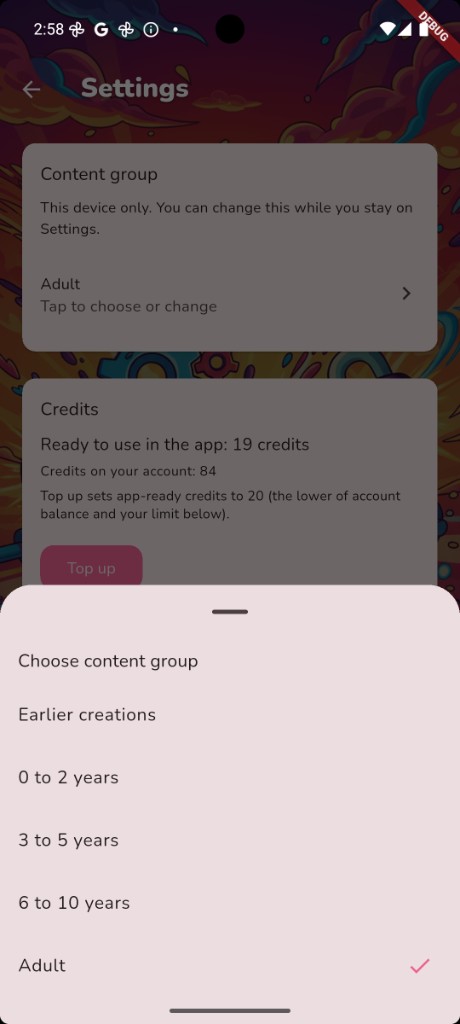
A PIN protects the Settings screen, credit top-ups, and the delete account flow. Account holders can set the age band or topic, manage credits, and set limits before kids play.
Preview screenshotsTap any screenshot for a closer look. Each caption is what a child might feel in that moment. Use the arrows in the preview to step through a flow.
A colourful welcome the moment you launch SpinCreatePlay.
Everything starts here — pick create, gallery, colouring, or games and start your adventure. Videos are coming soon.
Pick a theme, spin the wheels, then watch the AI illustration appear.
Everything you create lives in My Gallery. Browse your pictures today; videos are coming soon. Open an item, turn it into a colouring page now, or — when videos launch — into a short clip to play back. Share your creations with friends and family.
Coming soon in the app. This screen recording shows how video playback will work — not yet available in SpinCreatePlay.
This demo video could not load. If you are on the live site, the
file may be missing from the deploy — it should be at
/assets/videos/gallery-playback.mp4 (~10 MB).
Any picture can become line art to colour. Pick a picture, turn it into a colouring in page, then draw, fill, and save right inside the app. You can draw and draw again the same picture as many times as you want.
Match the icons on each wheel to the picture. Teach children to match what they see with what they read. Earn bronze, silver, or gold stars when you guess right. Children can try again and again for free to keep playing and keep learning .
A PIN protects Settings. Account holders pick the right content group for this device, manage credits, and set limits before kids play.
Screenshot preview
Free to download. New AI pictures, colouring pages, and Game Zone puzzles use credits today; videos are coming soon. Optional packs are bought inside the app behind a Settings PIN. How credits work. No subscription required to try it.
AI you can explain to another adult. Illustrations are created in the cloud via Google's Gemini API with safety settings enabled. When videos launch, they will use Google's Veo API with the source picture — not your whole photo library. Your prompts and creations are not used to train AI models. See our privacy policy for the full picture.
Pictures are private to your account. We don't track you across other apps, we don't sell data, and you can delete your account and everything in it from inside the app at any time.